A new email alias for every site. Filled in for you.
Click the button in any email box. Alias Autofill makes a new alias with the alias service you already use, fills it in, and remembers which alias belongs to which site.
Free. No account with us. No analytics, no tracking, no developer server.
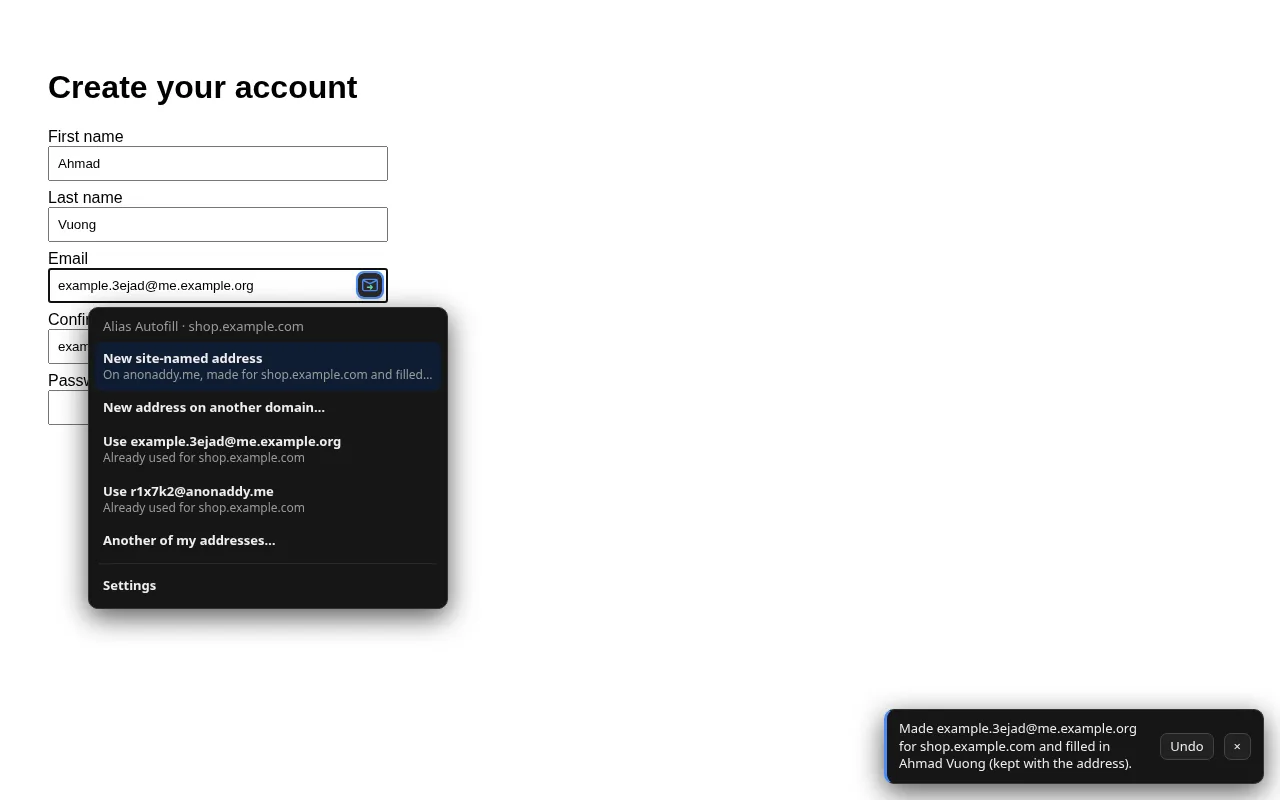
Create your account

How it works
Your alias service does the forwarding. Alias Autofill puts its aliases where you sign up, so you never copy and paste again.
Connect your service
Pick addy.io, SimpleLogin or your own mail server. Paste an API key, or approve the connection on your server. The key stays in your browser.
Sign up anywhere
A small button appears in email boxes. One click makes a fresh alias named after the site, like netflix.k3x9q@, and fills it in.
Know who leaked it
Every site gets its own address. If one starts getting spam, you know exactly which site sold it, and you turn that one alias off.
Everything a sign-up form asks for
The email box is only the start. Alias Autofill keeps a whole made-up identity with each alias, so a site sees the same details every time you come back.
Aliases your way
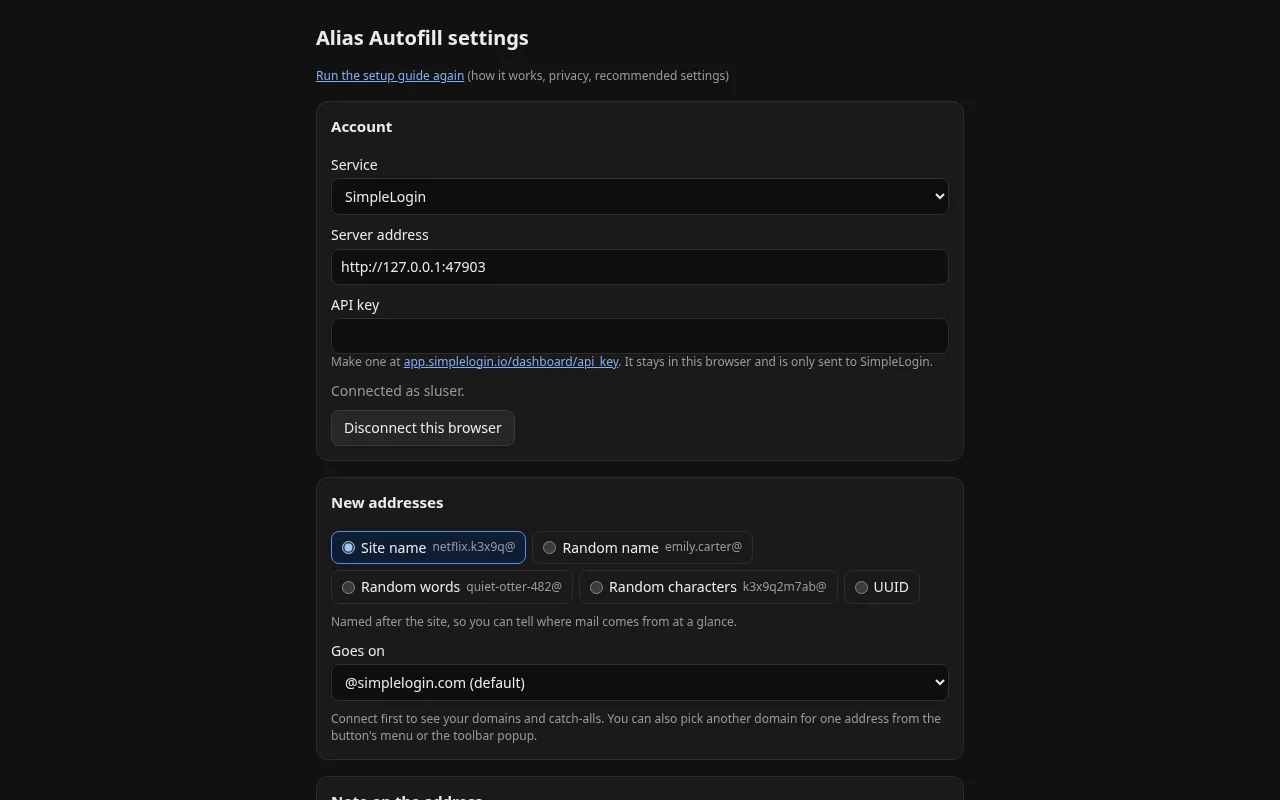
Named after the site, a random name like emily.carter@, random words, random characters or a UUID. Pick a default domain or choose one per alias.
Made-up names and places
Fills name, city, state and ZIP boxes with believable details, and keeps them with the alias so they match next time.
Remembers every site
Back on a site you've used? It offers the alias you used there first, instead of making another.
Sign-in codes, filled
With a compatible mail server, it waits for the code or confirmation link mailed to the alias and fills it into the page.
Stays out of the way
Moves aside for password manager icons, works from the right-click menu and from Alt+Shift+E, and has an undo for every alias it makes.
Looks like your service
Shows your service's own icon on the button and toolbar, and its colour in the menus, read from the service's home page.
Works with the service you already use
Alias Autofill doesn't forward mail itself. It talks to your alias service with your own key, and only when you ask it to.
addy.io API key
Paste an API key from addy.io's settings. Aliases are made on your addy.io account with the format and domain you pick.
- Random characters, random words or UUID on any of your domains
- Site-named aliases on your own domains and username subdomains
SimpleLogin API key
Paste an API key from SimpleLogin's dashboard. Custom and random aliases go to your default mailbox.
- Site-named custom aliases with SimpleLogin's signed suffixes
- SimpleLogin's own random-word and UUID aliases
Your own server Open API
Any mail server that speaks the Alias Autofill Server API: you approve the browser once on your server, no key to copy.
- Catch-all and own domains
- Sign-in codes and confirmation links
- Read the API documentation
Alias Autofill is an independent project and isn't affiliated with addy.io or SimpleLogin.
See it in a real form
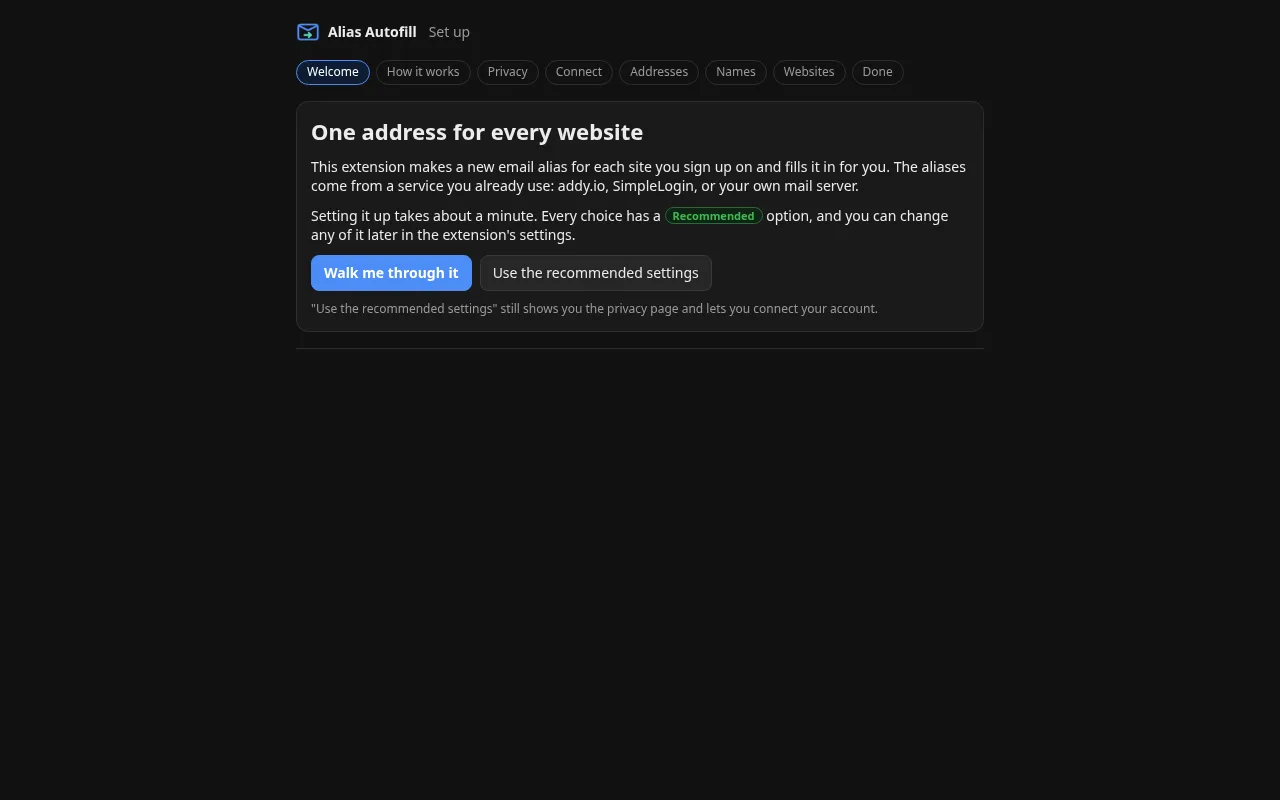
A setup guide walks you through the choices, with a recommended setting on every step.
Private by design
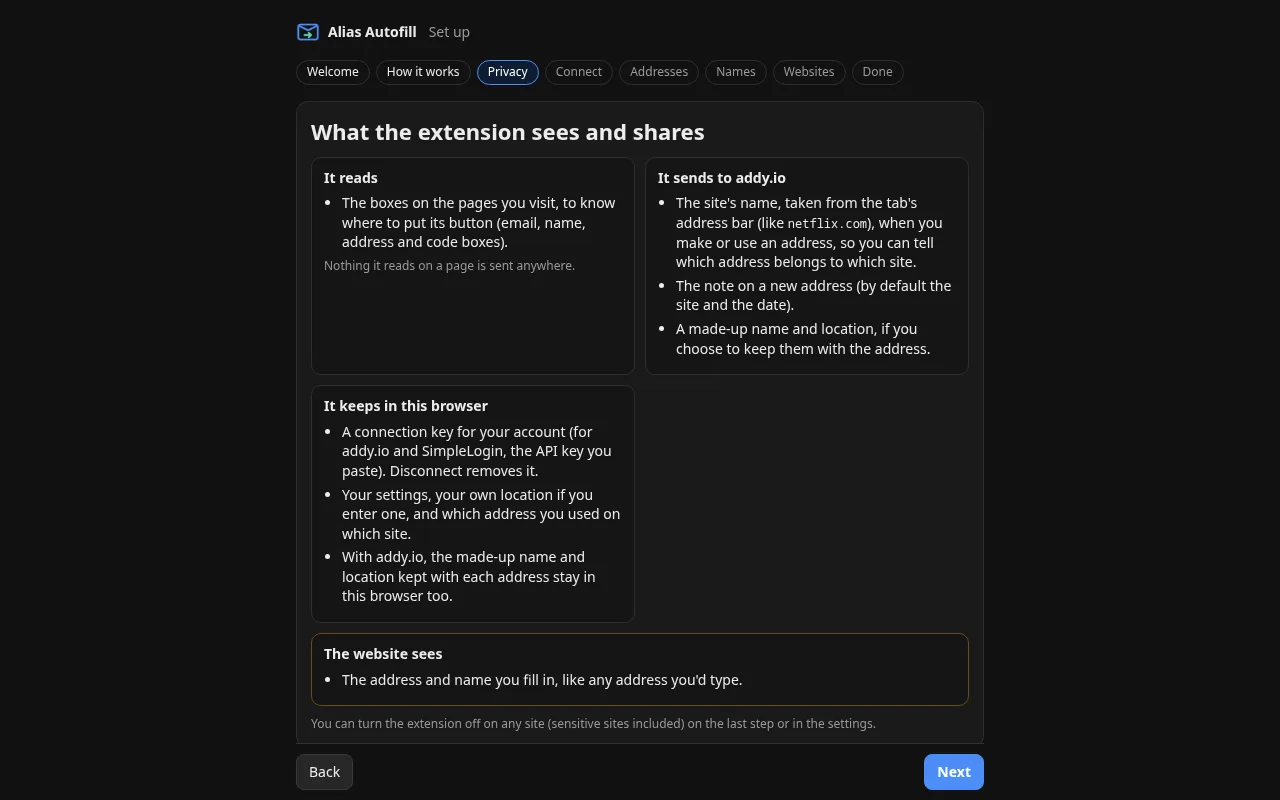
The extension has no server of its own. There is nothing for us to collect, so we don't.
Nothing sent to us
No analytics, no crash reports, no ads. The extension never contacts a developer server.
Your key stays local
Your API key or connection token is kept in your browser and sent only to the service you picked.
Pages stay on the page
It reads form boxes to place its button. What it reads on a page is never sent anywhere.
Questions
What is an email alias?
An address that forwards to your real inbox. You give each site its own alias, so your real address is never shared, and you can switch off any alias that starts getting spam.
Do I need an account with Alias Autofill?
No. You use the alias service you already have (addy.io, SimpleLogin or your own server). Alias Autofill has no accounts and no server.
Does it cost anything?
The extension is free. Your alias service may have its own plans and limits.
Which browsers does it work in?
Chrome and Chromium-based browsers such as Edge and Brave, and Firefox 140 or later on desktop and Android.
Can it fill sign-in codes with addy.io or SimpleLogin?
No. Filling codes needs the server to read mail sent to the alias, which only servers that speak the Alias Autofill Server API offer. With addy.io and SimpleLogin the code arrives in your inbox as usual.
How do I make my own mail server work with it?
Implement the handful of HTTP endpoints in the Server API documentation. People then pick "Your own server", type its address and approve the browser on your site.
Get Alias Autofill
The extension is on its way to the browser stores. The links will be here once it's listed.